
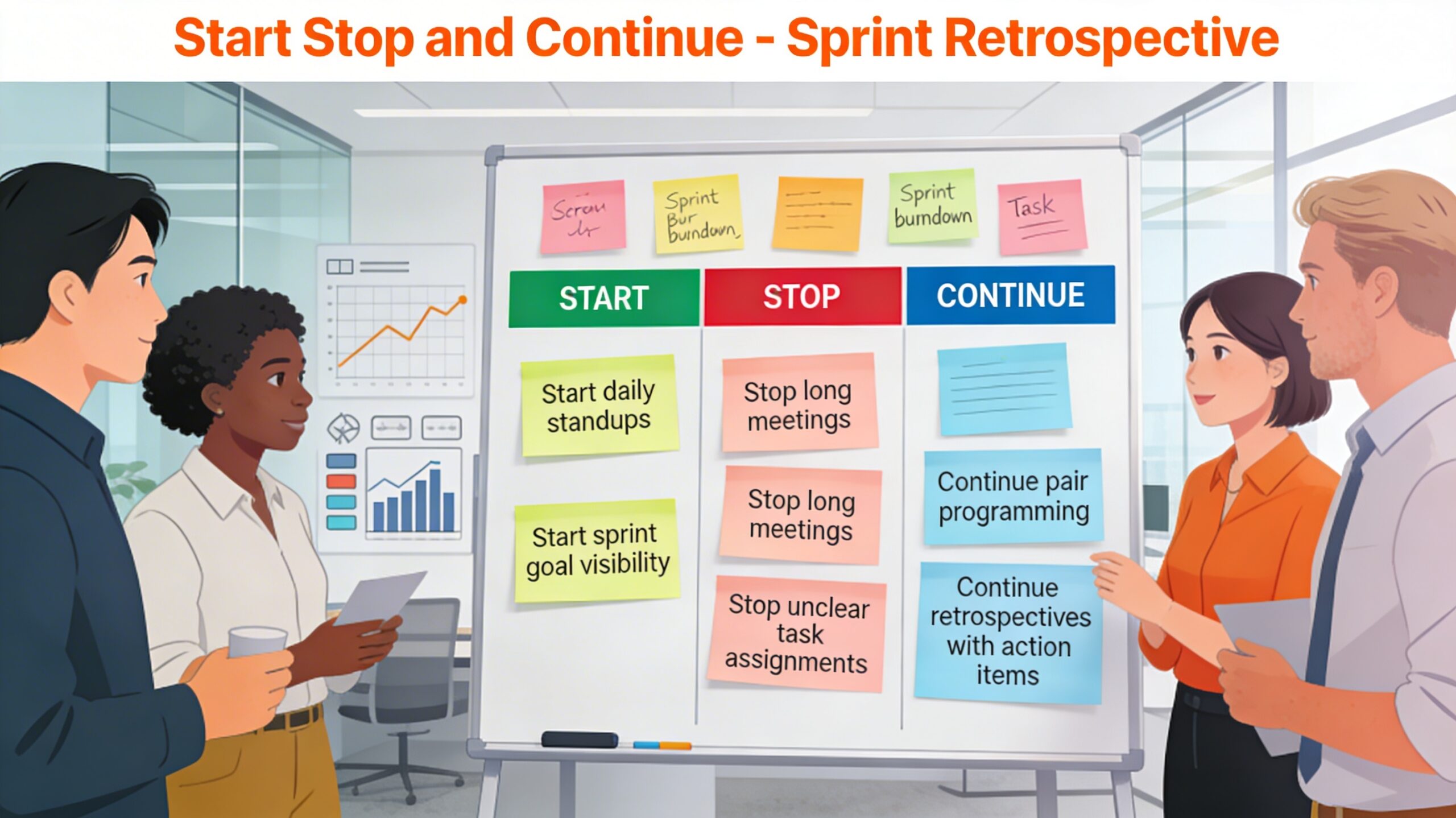
Start Stop and Continue

The Start Stop and Continue format is a simple, action‑oriented sprint retrospective technique that helps Scrum teams reflect on what is working, what is not, and what they want to change in the next iteration. It structures the conversation around three categories—things to start doing, stop doing, and continue doing—so teams leave the meeting with a concrete, prioritized improvement plan rather than a vague list of observations.

This technique is widely used because it is easy to explain, quick to facilitate, and suitable for both new and experienced Agile teams in co‑located or remote setups. It balances reflection on the past sprint (Stop, Continue) with forward‑looking intent for the next sprint (Start), aligning well with Scrum’s focus on continuous improvement.

Teams and Scrum Masters often choose this format when they want a retro that is:

  • Quick to understand – The three categories are intuitive even for non‑Agile stakeholders.
  • Action‑oriented – Every sticky note implicitly suggests a behavioral change or reinforcement.
  • Balanced – It asks people to acknowledge what is working (Continue) instead of focusing only on problems (Stop) or wish‑lists (Start).

While Start Stop Continue is versatile, there are situations where another retrospective format may serve better:

  • When the team needs to explore emotions or morale deeply (e.g., after a crisis), formats like Mad‑Sad‑Glad may be more appropriate.
  • When multiple dimensions of process need exploration (e.g., “More of / Less of / Keep doing / Stop / Start”), a Starfish or Wheel retrospective can provide richer structure.
  • When the focus is on external forces and risks (e.g., product direction, impediments), templates such as Sailboat / Speedboat may be more insightful.


Start Stop and Continue Sprint Retrospective

START

The “Start” part of the SSC framework focuses on identifying new practices or processes that the team should start doing in the next sprint. The team should consider the areas where they have experienced challenges or opportunities for improvement in the previous sprint. Anything that’s worth trying out if the team gets more effective, better team morale or quality. Examples of things that the team may choose to start doing include:

  • Implementing a new tool or software to increase efficiency.
  • Scheduling more frequent check-ins with team members.
  • Conducting more thorough testing before releasing new features.
  • Start pairing junior and senior developers on critical stories to improve quality and learning.
  • Start tracking deployment frequency and lead time as Flow metrics.

Think of activities that can improve processes, reduce waste and have a positive impact on the way the team operates. Few questions to trigger this thought process:

  • If money wasn’t a factor, where would you like to invest?
  • “What is missing in our current way of working?”
  • Imagine having another person on your team. What tasks or activities would you assign to them that we haven’t yet begun?

STOP

The “Stop” part of the SSC framework focuses on identifying practices or processes that the team should stop doing in the next sprint. This consists of things that do not deliver the expected result or things that are not productive. The team should consider the areas where they have experienced difficulties or encountered roadblocks in the previous sprint. Examples of things that the team may choose to stop doing include:  

  • Conducting unnecessary meetings that take up valuable time.
  • Neglecting to document important decisions or changes.
  • Relying too heavily on a single team member for a particular task or responsibility.

Think of activities that are inefficient, waste time or resources, and have a negative impact on the way people feel or the way things work. Few questions to trigger this thought process:

  • What would you cut from your workday if you had to leave early for vacation?
  • What activities do you mentally place at the bottom of your to-do list, even before you’ve written it?
  • Have you ever noticed an area of your job that consistently gets bumped to the next day or even the next month? What is that and why is it so easy to defer until later?

CONTINUE

The “Continue” part of the SSC framework focuses on identifying practices or processes that the team should continue doing in the next sprint. The team should consider the areas where they have experienced success or made progress in the previous sprint. Examples of things that the team may choose to continue doing include:

  • Conducting daily stand-up meetings to keep everyone informed
  • Collaborating closely with other teams or departments
  • Using a particular tool or software that has proven effective

Few questions to trigger this thought process:

  • Where are we adding the most value for our customers?
  • Which responsibilities do you personally find most fulfilling?
  • Is there an activity that defines the corporate culture that we should continue doing?
Column Example items
Start Start defining “Done” more clearly for each user story; Start dedicating a weekly time slot for refactoring; Start inviting a stakeholder to every sprint review.
Stop Stop committing to too many user stories per sprint; Stop changing scope mid‑sprint without renegotiating; Stop skipping regression tests to rush releases.
Continue Continue frequent knowledge‑sharing sessions; Continue using feature toggles for safer releases; Continue celebrating small wins at the end of the sprint.


Phases of Start Stop and Continue Sprint Retrospective

Phase 1: Idea generation or Brainstorm

Provide time to write down ideas under Start, Stop, and Continue categories. The scrum master can help by asking open-ended probing questions like What would make it more fun, effective, or efficient to work a sprint? Ask them to recall all the work they did during the sprint etc. Each participant should have 1 to 3 items in each of the categories.

Phase 2: Merge Similar Ideas

All the ideas from the previous phase should be visible to everybody. The facilitator or Scrum Master read out loud every idea and starts merging the ones that are similar. During the discussion the group should not evaluate the ideas, the focus is on understanding the items.

Phase 3: Voting (Dot Voting)

Ask team members to vote and choose the top three ideas which are more significant or need to be addressed.

Phase 4: Prioritize and next steps

The votes of all participants are combined and items in each of the categories are ranked. The focus should be on why they think the ideas are crucial to the progress of the team. It is recommended to implement 1 to 3 items from each category in the next sprint or iteration.

The actions don’t have to be measurable, but the previous iteration can be used to generate benchmark values to help define the actions for the next sprint.

How Start Stop and Continue works

Step One: Show the team the template separated into three areas, labeled: Start, Stop, and Continue.

Step Two: Explain how the technique works and assign a timebox for different activities to be performed during this retrospective.

Step Three: Hand out sticky notes to the participants and tell them the timebox for this phase. Ask the team members to recall all the work they did during the sprint.

Step Four: Have everyone put their stickies on a large wall as per the column definitions (Start, Stop and Continue).

Step Five: Facilitate a group of similar ideas present in stickies into clusters (categories). The facilitator should announce the timebox.

Step Six: Opt to use Dot Voting to prioritize the discussion based on the collective desires of the group. The facilitator should announce the timebox.

Step Seven: Point out the three stickies with the most votes and ask the team to discuss these stickies by probing open-ended questions why do you think it’s important?

Step Eight: Finish the exercise by forming the next steps.

Facilitation Tips for Start Stop and Continue

  • Rotate the Facilitator: Having different team members facilitate the retrospective brings diverse perspectives and distinct styles, which can spark new discussions and increase engagement.
  • Prompt Specific Feedback: If the team is struggling to generate ideas, ask specific questions like, “I noticed we had a major bug this sprint; I’d love some reflections on how we handled that.”
  • Track Morale Over Time: Close the meeting with a quick “fist-to-five” vote or a mood meter to gauge how the team feels heading into the next sprint. Tracking this helps surface underlying morale trends.

Benefits of Start, Stop, and Continue Sprint Retrospective

Here are some benefits of using this exercise in a sprint retrospective:

  • Encourages feedback: Start, Stop, and Continue encourages team members to provide honest feedback in a structured and non-confrontational manner.
  • Identifies problem areas: The exercise helps the team identify areas that need improvement, such as processes, communication, or tools.
  • Builds consensus: Start, Stop, and Continue encourages team members to share their opinions and come to a consensus on what actions to take in the next sprint.
  • Promotes continuous improvement: The exercise helps the team focus on what worked well and what can be improved, leading to continuous improvement over time.
  • Increases team engagement: The exercise encourages all team members to participate, leading to increased engagement and ownership of the team’s success.

Despite its simplicity, the Start Stop Continue format can fail to deliver value if certain pitfalls are not addressed.

  • Too many action items – Trying to implement everything at once dilutes focus; teams should pick a small number of high‑impact actions.
  • Lack of follow‑through – If actions are not tracked in backlogs or discussed in subsequent retros, people lose trust in the exercise.
  • Blame culture – If notes target individuals instead of behaviors, psychological safety erodes and participation drops.
  • Repetitive topics – Recurring items that never change signal deeper systemic issues that require management support or structural changes.

Examples of Start, Stop, and Continue Sprint Retrospective

Suppose a software development team has just completed a sprint and has identified the following areas for improvement:

Start:

  • Implementing automated testing to catch bugs more quickly
  • Holding a weekly review session to provide feedback on team members’ work
  • Introducing a new project management tool to help streamline the workflow

Stop:

  • Holding lengthy daily meetings that go off-topic
  • Focusing too much on minor details rather than the big picture
  • Ignoring feedback or suggestions from team members outside of the development team

Continue:

  • Collaborating closely with the QA team to identify and fix bugs
  • Conducting regular code reviews to ensure code quality
  • Using the team’s communication tool to keep everyone informed of progress and updates


Conclusion

The Start Stop and Continue sprint retrospective is a lightweight yet powerful technique for driving continuous improvement in Agile teams. By organizing feedback into three intuitive categories, it helps teams quickly identify what to introduce, what to eliminate, and what to sustain in their ways of working.

Its simplicity, action‑orientation, and adaptability to in‑person and remote contexts make it a staple in many Scrum Masters’ facilitation toolkits. When combined with disciplined follow‑through and psychological safety, this format can significantly improve not only team performance but also engagement and shared ownership of change.


Sprint Retrospective – Tools and Techniques: Click Here

Scroll to Top